How to Sign Up for Axiom Trade: The Complete Walkthrough
Table of Contents
 Axiom is a browser-based Solana trading terminal, and getting from a blank tab to your first trade takes about ten minutes. Most of that time is signup and funding; the trading itself is a few clicks once you're set up. This guide covers the exact steps, plus the one setting that matters more than any other on Solana: your seed phrase.
This isn't the official Axiom documentation. It's a plain-language walkthrough for traders new to Axiom specifically, not to crypto trading in general. For the technical reference, see docs.axiom.trade.
If you have not decided yet, decide before the wallet has money in it. We went through the custody model, the February 2026 incident and the parts nobody outside the company can verify in whether Axiom Trade is safe to fund.
Signing up on Axiom takes under a minute with email, Google, or a Phantom wallet, and the documented flow includes no identity-verification step. The one step worth not skipping is exporting your seed phrase into a wallet you control before you start trading.
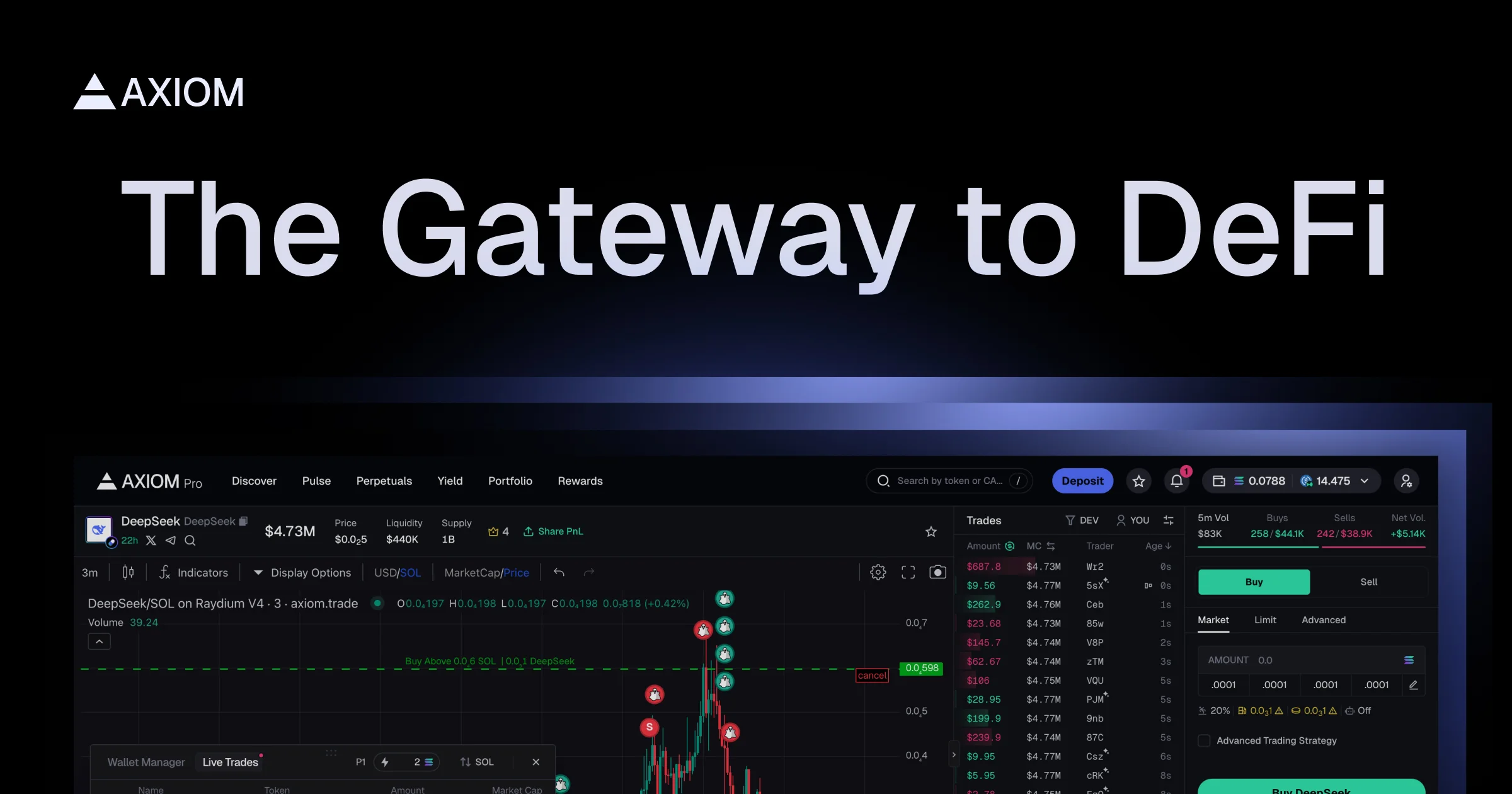
Source: Axiom, official product image
Step 1: Sign Up and Wallet Setup
Before you type anything, check the address bar. Phishing clones of Axiom buy ads against the brand name, and how to check you are on the real Axiom Trade takes about ten seconds and is worth nothing at all once you have entered a credential on the wrong domain.
Open axiom.trade and choose email, Google, or connect a Phantom wallet. If you sign up with email or Google, Axiom provisions a wallet for you automatically, with key management handled by  Turnkey, a separate infrastructure company whose architecture is documented on its own site rather than Axiom's. Axiom's documented signup flow does not include an identity-verification step at any point.
Signing up through a referral link applies a discount to your trading fees. Axiom's referral documentation states that users who sign up using a referral link receive a 10% discount on trading fees. Ours is axiom.trade/@axiompe, and the discount applies from your first trade.
If the wallet connection itself refuses to complete at this step, that is one of the faults with a known cause and a known fix. We keep a running list of common Axiom Trade problems and how to fix them, including wallet connection failures and the fee confusion that trips up most first sessions.
Step 2: Export Your Seed Phrase
This is the step most beginners skip, and it's the one that matters. Axiom's documentation describes the product as non-custodial: you get a 12-word seed phrase, and those docs say Axiom cannot recover it for you if you lose it. Go to Settings, then Account & Security, then Manage Wallets, and export it into one of these:
 Phantom: the Solana wallet Axiom's own signup flow supports directly
 Solflare: Solana-native, with hardware-wallet support if you want keys off the machine entirely
 Rabby: multi-chain, useful if you're already running it for EVM networks
If you are arriving from another terminal rather than starting fresh, migrating across from BullX covers what transfers and what does not, including the wallet-tracking list import.
The reason this matters isn't hypothetical. In August 2025, selling broke inside Axiom for several hours. Axiom's own Discord attributed the outage to a breaking change in  Pump.fun's API, and told users that during the window they could still sell directly on Pump.fun's own site. Traders who had already exported their seed phrase into a separate wallet could fall back to Pump.fun or
  Jupiter and sell there. Traders who hadn't were stuck watching the price move. See our troubleshooting guide for more on that incident and other common failures. Outages are one reason to hold your own keys. The other is governance, and we keep the full account of Axiom's documented insider-trading incident rather than leaving it to competitors to characterize.
Step 3: Fund Your Account
Deposit SOL. You can send it in from any wallet you already hold SOL in, or use the built-in Coinbase on-ramp to buy with fiat. That on-ramp is Coinbase's product: Coinbase sets the limits and the verification requirements, and both change, so check them on Coinbase's own site rather than planning around a number you read here. There's no separate USDC step the way there is on some perp DEXs, since SOL is what you'll spend on gas and what most Axiom trades are quoted against.
Step 4: Find and Trade a Token
Open Pulse. It's organized into three columns:
- New Pairs: tokens that just launched
- Final Stretch: tokens close to completing a Pump.fun bonding curve
- Migrated to Raydium: tokens that graduated and now trade on an AMM
Those launchpads and AMMs are separate protocols. Pulse is reading their state, not running them.
Fourteen documented filters let you narrow by age, top-10 holder concentration, dev wallet holdings, sniper and insider activity, bundle detection, liquidity, volume, market cap, and transaction counts. Once you find something, hit the lightning-bolt Quick Buy, or open the token page for the full order ticket with slippage and MEV protection settings.
Warning
Set slippage to match the pool's actual depth, not a blanket default. As a practitioner heuristic rather than a tested figure, a thin new-launch pool often needs 10 to 20% or more to fill at all, while a deep, established token like SOL or JUP tends to fill within 1 to 3%. The underlying variable is your size against the pool's depth, so treat those as reasoning rather than settings to copy. Read how Axiom's fees actually stack before sizing a first trade.
What to Do Before You Trade Anything
Two settings are worth choosing per trade rather than leaving on default:
- MEV protection. Axiom offers Off, Reduced (routes through Jito's bundle infrastructure, which is Jito's system rather than Axiom's), and Secure (whitelisted validators, which Axiom's docs describe as slower). Cryptopolitan reported in October 2025, citing on-chain research from 0xGhostLogs, that around 70% of the SOL extracted by wide sandwich attacks over the prior year came from users on Axiom. Set protection to Secure on any buy where you're not in a hurry.
- Priority fee and Jito tip. Both default to 0.001 SOL per Axiom's documentation, read August 2026. Raise them on a fast-moving launch if your transactions keep landing late; lower them on an established token where you don't need to win a speed race.
Ready to Start Trading?
Sign up through our link and the 10% referral fee discount applies automatically to every trade.
Trade on AxiomNext Steps
Your account exists and it is funded, which is where this guide's job ends. Operating the terminal is a separate skill, and we cover it properly in the Axiom Trade guide, the full tutorial from setup to first trade: what each panel does, how to filter Pulse down to a shortlist, and how to read a fill against what you expected to pay.
For the trading setup itself, the four settings to change before your first buy (slippage, priority fee and bribe, presets and MEV mode) are covered in how to set up Axiom Trade for your first trade.
After that, the next things worth reading are how Pulse's filters and migration sniping actually work, what the fees add up to, so you understand what you're actually paying, and how to keep your account safe, particularly the phishing sites currently impersonating Axiom and what exists on mobile instead of a downloadable app.
Frequently Asked Questions
No. Signup takes under a minute with email, Google, or a Phantom wallet, and the documented flow has no identity-verification step. The learning curve is in Pulse's filters and in setting slippage correctly for the token you are trading, not in the interface itself.
No. Axiom provisions a wallet for you automatically on signup, with key management handled by Turnkey, a separate infrastructure company, and a 12-word seed phrase you can export at any time. You can also sign up by connecting an existing Phantom wallet if you already have one.
Axiom's documentation describes the product as non-custodial and says your seed phrase is exportable from Settings at any time. Those same docs recommend importing it into Phantom, Rabby, or Solflare so you retain access even if Axiom itself has an outage. This site cannot audit a private company's internal systems, so the practical answer is that holding your own exported keys is what puts the funds under your control.
Signing up is free. Axiom's documentation publishes a 1% gross platform fee at the base tier, with SOL cashback tiers reducing the net rate to 0.75% at the top tier, and Axiom's referral docs say users who sign up through a referral link receive a 10% discount on trading fees. You also pay Solana network gas and, optionally, a priority fee or Jito tip for faster execution. Verify current rates against docs.axiom.trade before trading.
Axiom's documentation describes no native app as of August 2026 and links no app-store listing. Axiom runs as a progressive web app, so you can add it to your phone's home screen from the mobile browser. Anything presented as an Axiom app in an app store is not something Axiom publishes, so verify from axiom.trade directly before installing it.
Pulse is Axiom's token discovery feed, organized into three columns: New Pairs, Final Stretch, and Migrated to Raydium. The columns group tokens by how far they are along the path from a launchpad bonding curve to an AMM pool. Those launchpads and AMMs, Pump.fun and Raydium among them, are separate protocols rather than Axiom products. Axiom's documentation defines fourteen Pulse filters covering age, liquidity, holder concentration, and more, plus a Quick Buy button for one-click execution.
Axiom's documented signup and trading flow does not include an identity-verification step. Whether any identity or reporting obligation applies to you depends on your jurisdiction and is not something this site can determine. The optional Coinbase fiat on-ramp is Coinbase's product, and Coinbase sets its own verification requirements and limits, so check those with Coinbase.
Axiompedia is an independent educational resource. It is not affiliated with, produced by, reviewed by, endorsed by, or sponsored by Axiom Innovations Inc., the operator of axiom.trade, or any of its affiliates. "Axiom" and the Axiom logo are trademarks of Axiom Innovations Inc., used here only to identify the product this site writes about. Full disclaimer.
Disclaimer: Nothing on this site is legal, tax, financial or investment advice. Trading carries risk, including total loss. Whether any activity described here is permitted where you live, and how it is taxed, depends on your jurisdiction and your circumstances. Consult a qualified professional and the primary sources before acting. Past performance does not indicate future results. Always check the primary source and do your own research before trading. This site contains referral links, which are disclosed on the disclosure page.
Ready to Start Trading?
Sign up on Axiom through our link for a 10% discount on trading fees, applied automatically with referral code axiompe.
Save 10% on Fees