Axiom Trade Guide: Complete Tutorial From Setup to First Trade
Table of Contents
- How do you use Axiom Trade? The tutorial at a glance
- What the Axiom Interface Actually Shows You
- Funding Your Axiom Account
- Setting Up Before Your First Trade
- Finding a Token: Pulse, Filters, and What the Columns Mean
- Placing Your First Swap, Step by Step
- Reading the Confirmation: What You Actually Paid
- Watching Wallets Once You Are Trading
- Perpetuals: What Changes
- Staying Safe on Axiom
- What Goes Wrong on a First Session
- Where to Go Next
Signing up for Axiom takes about a minute. Learning to actually operate it takes longer, and that gap is where most new users lose money on avoidable things: a slippage setting left at a default that does not suit the token, a priority fee too low to land during congestion, a Quick Buy preset fired at the wrong size.
This is the complete Axiom Trade guide, one path from an empty account to a trade you can fully account for. If you do not have an account yet, start with how to sign up for Axiom and come back. Everything below assumes you are logged in.
Two settings decide more about your fill than anything else you do in the terminal: your MEV protection mode and your slippage tolerance. Configure both before your first swap, not after your first failed one.
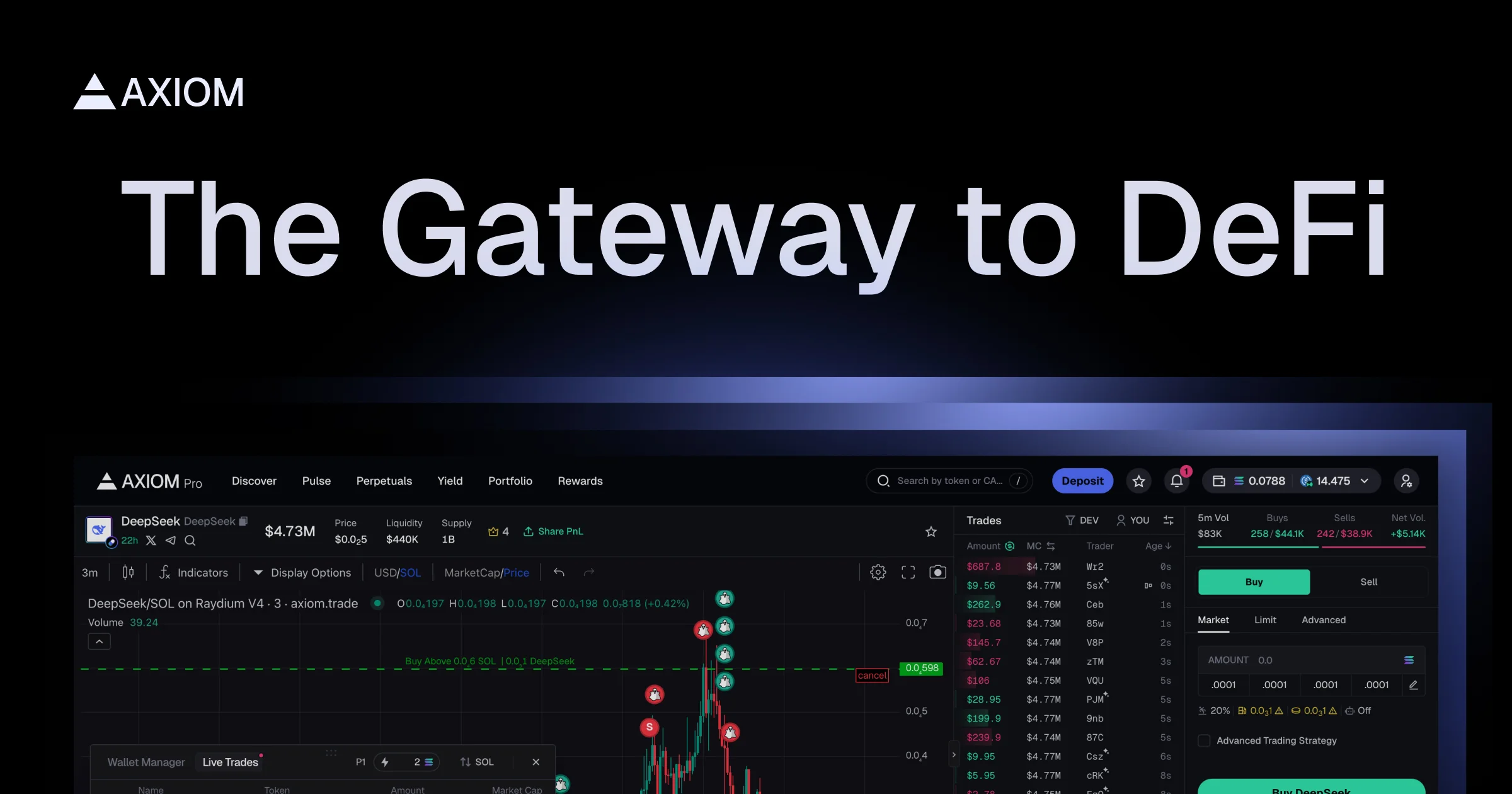
Source: Axiom, official product image
How do you use Axiom Trade? The tutorial at a glance
You use Axiom Trade in eight stages: create the account, fund it with SOL, learn the three screens you will use most, change the settings that price your trade, filter Pulse to a shortlist, place the swap, check what it cost, and know what to do when something breaks. They are listed below in the order you will hit them, and each one has a section below or a page of its own.
- Create the account and export your keys. The signup walkthrough linked above covers it. The 12-word seed phrase is the step not to skip.
- Fund it with SOL, from a wallet you already hold or through the built-in Coinbase on-ramp. See funding your account.
- Learn the main screens: Pulse, the token page with its trading panel, and Portfolio. See what the interface shows you.
- Change the settings that price your trade. Slippage, priority fee, bribe and MEV mode are explained in best Axiom Trade settings.
- Filter Pulse down to a shortlist. Start from the Pulse filter presets instead of an empty filter panel.
- Place and manage the trade with Quick Buy, the Instant Trade panel or a limit order. See the swap, step by step.
- Check what it cost. The four costs on every swap are broken down below, and every tier and rate is on the Axiom Trade fees page.
- Stay safe and fix what breaks. See staying safe and what goes wrong on a first session.
Info
Not financial advice. This guide explains how the terminal works and what each action costs. It does not recommend any token, and nothing in it is a reason to buy one.
What the Axiom Interface Actually Shows You
 Axiom is a browser terminal, so there is nothing to install. Six tabs run across the top, and knowing which one you want saves a lot of clicking. If you are moving your workflow over from BullX, the wallet-tracking list is the part that imports; the Pulse filters are the part you rebuild by hand.
Pulse is the live discovery feed and where most spot trading starts. It shows tokens sorted by lifecycle stage rather than by price, which is what distinguishes it from a normal token list.
Discover covers trending and more established tokens. If Pulse is the feed of things that launched in the last few hours, Discover is where you look for something with a market cap and a history.
Perpetuals routes orders to  Hyperliquid, a separate exchange with its own order book, its own markets and its own rules. Axiom is the front end, which is the distinction between a terminal and an exchange and it decides who is holding your funds at each step. Nothing there involves holding the token, and nothing in spot trading requires going near it.
Yield surfaces deposit options that route to other protocols,  MarginFi and Solana staking among them. The yield, the risk and the terms belong to those protocols rather than to Axiom, so read their own documentation before depositing. Portfolio is your positions and fill history, which is where you go to check what a trade actually cost. Rewards tracks the points program and your cashback tier.
Individual token pages sit underneath all of this: a chart, the trade panel, holder data, and the Bundle Checker output for that specific token.
Funding Your Axiom Account
Most Axiom trades are quoted against SOL, and SOL pays the gas, so SOL is what goes in. There are two ways to get it there. Send it from a wallet you already control, or buy it inside Axiom through the built-in Coinbase on-ramp. That on-ramp is Coinbase's product, so Coinbase sets its limits and its verification rules. Check them on Coinbase's site before you plan around a number.
Axiom's fee documentation lists no Axiom charge for moving crypto in or out, so a deposit costs you Solana network gas and nothing else. Keep a small buffer of SOL above your trade size. Every transaction pays gas, and a failed one pays it too.
Setting Up Before Your First Trade
Three things need to be true before you buy anything, and only one of them is "have money in the account."
Your seed phrase is exported. Axiom provisions a wallet with key management handled by  Turnkey, a separate infrastructure company, and the 12-word phrase is exportable from Settings. Axiom's own documentation recommends importing it into
  Phantom or
  Solflare, a step the signup guide walks through. This is not paranoia about Axiom specifically. In August 2025 selling broke inside Axiom for several hours, an outage Axiom's own Discord attributed to a breaking change in
  Pump.fun's API, and the traders who could still sell were the ones holding their keys somewhere else.
Your MEV protection mode is chosen per trade. Axiom offers three, and the differences are real rather than cosmetic. We cover the tradeoffs in MEV protection modes explained; the short version is that the fastest mode is also the one that leaves you exposed to sandwich attacks, and the mode Axiom's docs recommend can cost you fills on fast-moving launches.
Your slippage tolerance matches what you are about to buy. This is the setting people get wrong most often. Slippage tolerance is the maximum price movement you will accept between submitting and filling. Set it too tight on a thin token and the transaction fails repeatedly, burning gas each time. Set it too loose on a thin token and you can fill far worse than the quote you saw.
Warning
Slippage is not a preference you set once. A tolerance that works on a deep, migrated pool will fail on a token that launched four minutes ago, and a tolerance that fills a fresh launch will overpay badly on a liquid one. Adjust it per trade. The settings guide in stage 4 above covers what each value does and the failure mode at both extremes.
Finding a Token: Pulse, Filters, and What the Columns Mean
Pulse sorts tokens into three columns by where they are in their lifecycle. The bonding curves and AMM pools behind those labels belong to third-party protocols, and Pulse is reading their state rather than running them.
- New Pairs are tokens still on a launchpad bonding curve, minutes old.
- Final Stretch are tokens close to completing that curve and migrating to an AMM.
 Migrated to Raydium are tokens that graduated and now trade on a normal pool.
Those three columns imply completely different risk. A New Pairs token can lose most of its value within minutes, and the wallets behind a launch are anonymous, so you cannot establish who is behind one or what they plan to do. A migrated token has real liquidity and a chart worth reading.
Fourteen documented filters narrow the feed, covering token age, top-10 holder percentage, dev wallet holding, sniper count, insider count, bundle detection, holder count, pro-trader count, liquidity, volume, market cap, transaction count and buy/sell counts. Nobody touches all fourteen every session. Build a filter set once and save it, and keep the glossary with every Pulse column and badge defined open in another tab for the first few sessions, until the labels stop needing a second look.
If you are starting from nothing, the two filters that remove the most obviously risky launches are a cap on top-10 holder concentration and a minimum liquidity floor. Concentrated supply means a handful of wallets can exit into you. Thin liquidity means your own buy moves the price against you before it fills.
Source: Pump.fun, used under fair use for educational purposes
The full mechanics of the feed, including migration sniping and the Bundle Checker, are in Axiom Pulse explained. Filters are also where people first notice something is off with the terminal, though the fault is usually elsewhere.
Start Trading on Axiom
Sign up through our link for an automatic 10% fee discount, applied from your first trade.
Trade on AxiomPlacing Your First Swap, Step by Step
Once a token is on your shortlist, open its page. You have two ways to buy.
Quick Buy fires a preset amount in one click. On a fresh launch the difference between seeing a token and holding it is measured in seconds. Set your presets before you need them, because configuring a preset while a token is moving is how people buy ten times what they meant to.
The Instant Trade panel takes a custom amount and supports keyboard execution, with Space plus a key bound to a size. Slower to set up, far better for anything that is not a race.
On a migrated token you also have limit orders, set either with a slider or by dragging a price line directly onto the chart. Limit orders are the right tool whenever you have a target rather than an urgency, and there is a cap on how many you can have open at once.
The sequence itself:
Confirm your settings
Check slippage and MEV mode on this token, not on the last one. Both persist between trades and neither is tuned for what you are about to buy.
Set the size
Type the amount in the Instant Trade panel, or confirm which Quick Buy preset you are about to fire.
Decide on a priority fee or tip
During congestion, a priority fee or Jito tip is what gets your transaction included. Without one, a busy block can leave it unlanded.
Execute
The transaction goes to the Solana network. It either lands and fills, or fails and consumes gas without filling.
Read the result in Portfolio
Do not assume the quote was the fill. Open the position and compare.
Reading the Confirmation: What You Actually Paid
This is the part almost no guide covers, and it is the part that determines whether you are profitable.
The quoted price is not what you paid. Four separate costs stack on a spot swap:
Axiom's platform fee. Axiom's fee documentation publishes 1% gross at the base tier, with SOL cashback reducing the net rate through seven tiers to 0.75% at Champion. Axiom does not publish the volume thresholds for each tier, so anyone quoting you one is guessing. Fees change, so verify the current figures against docs.axiom.trade before you trade. The fees page walks through the full ladder and how the referral discount stacks on top.
Solana network gas. A fraction of a cent, and genuinely not worth thinking about, with one exception: a failed transaction still pays it. Ten failures from a too-tight slippage setting cost real money and produce no position.
Priority fee or Jito tip. Optional, and the difference between landing and not landing when blocks are full.  Jito tips and priority fees work differently and are not interchangeable; the fee guide separates them.
Realized slippage. The gap between the price you were quoted and the price you filled at. On a thin token this routinely dwarfs every other cost on this list, which is why obsessing over a 0.25% fee difference between terminals while trading illiquid launches is looking at the wrong number.
Worked through at the published base rate, a $500 swap carries $5.00 in platform fee, dropping toward $3.75 for an account at the top cashback tier, with the referral discount applied on top of that. Gas is negligible. Whether the trade cost $5 or $25 all in comes down to slippage and tip, not to the headline percentage. That arithmetic uses Axiom's published rates rather than a measured execution, so treat it as the floor rather than a prediction.
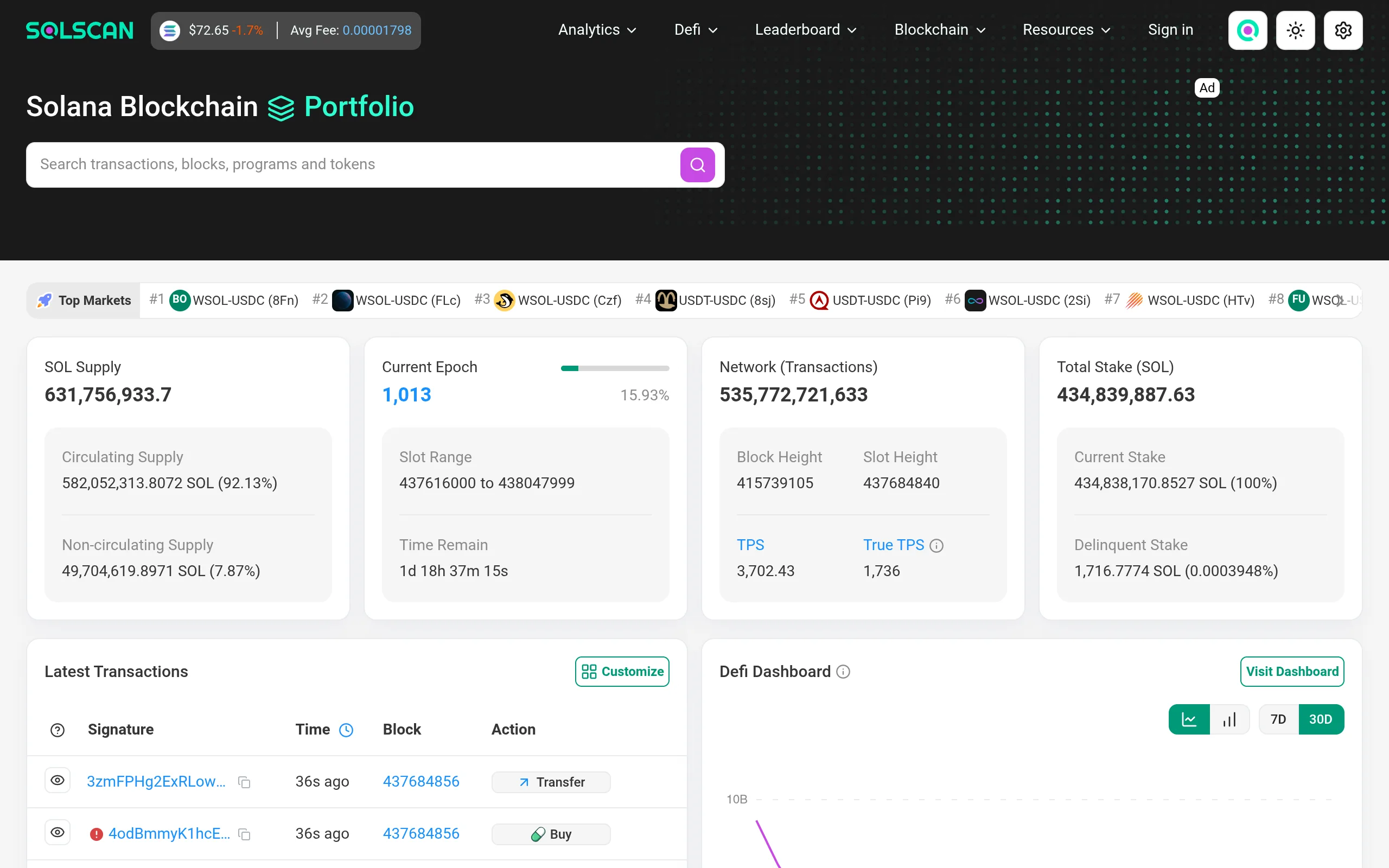
Source: Solscan, used under fair use for educational purposes
 When a fill looks wrong, check the transaction on Solscan before concluding it is an Axiom bug. Solscan tells you whether the transaction landed, failed, or never broadcast, which separates a platform problem from a Solana congestion event.
Watching Wallets Once You Are Trading
Axiom's Wallet Tracker lets you add wallets with a name and an emoji, then get live alerts when they buy, streamed while you are on Pulse. Coming from BullX, an import tool brings your tracked list across. The columns, the alerts and the setup are covered in the Axiom wallet tracker guide.
Read an alert as late information. By the time a tracked wallet's buy reaches you, that buy has already moved the price, so copying it means filling after them at a worse price than they got.
Perpetuals: What Changes
Perps are a different product wearing the same interface. Three things change materially.
You are not holding the token. A perpetual is a leveraged position on price, so there is no token in your wallet and no migrating pool to worry about.
Execution leaves Axiom. Orders route to Hyperliquid's order book, so the market, the liquidity and the matching are Hyperliquid's. Axiom is the interface and the routing layer. Fees work accordingly: Hyperliquid's own maker and taker fees apply under Hyperliquid's schedule, and Axiom documents a builder fee of 0.01% per transaction on top. Both sides publish their own numbers, so check Axiom's fee docs and Hyperliquid's rather than trusting a single combined figure.
Leverage introduces liquidation, and the liquidation is Hyperliquid's. Hyperliquid documents leverage up to 50x on some markets, along with the margin and liquidation rules that govern when a position closes. Those rules are set and enforced by Hyperliquid, not by Axiom, and they are worth reading on Hyperliquid's own documentation before you open a position. Nothing in spot trading behaves like this, and no amount of familiarity with Pulse prepares you for it.
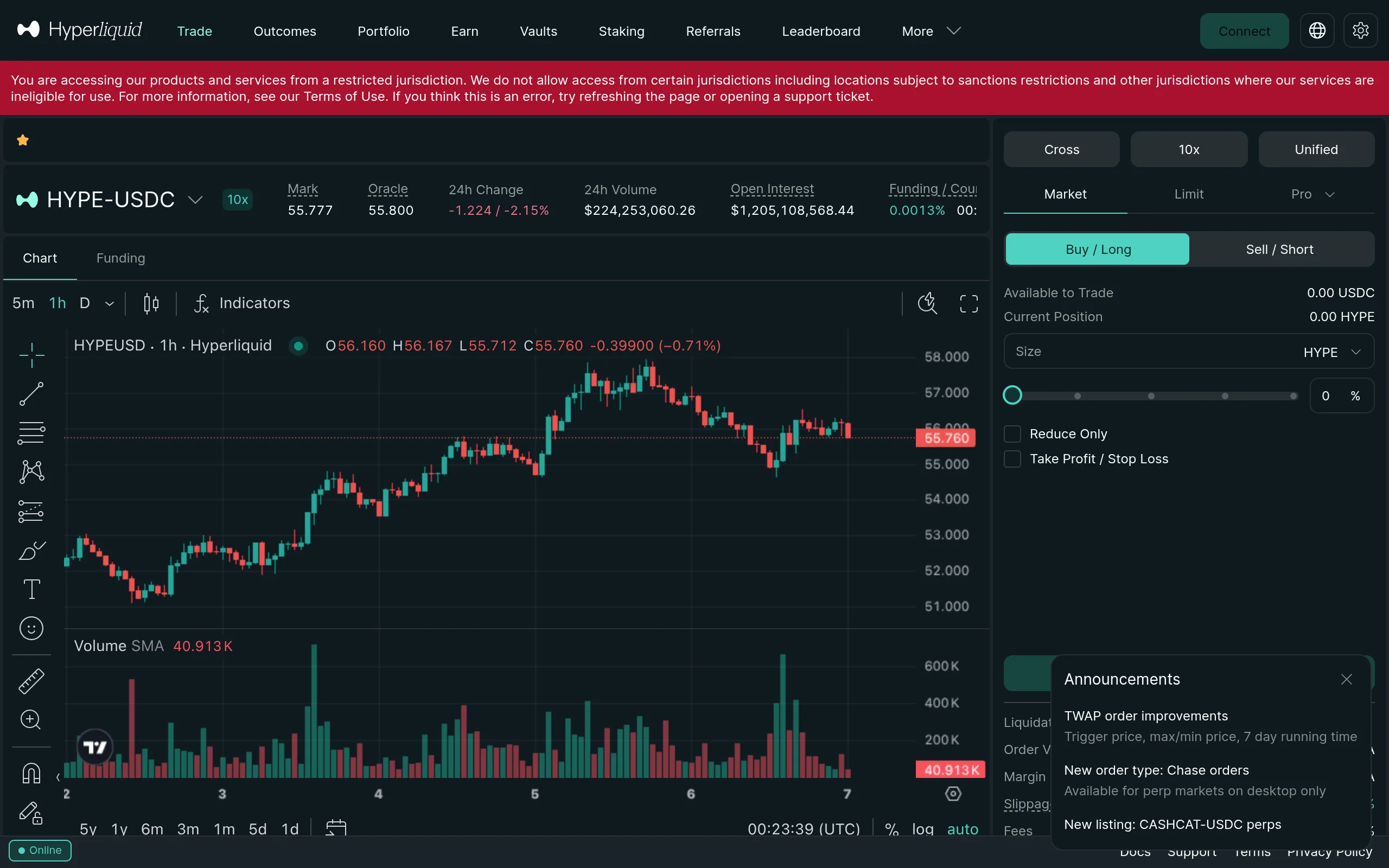
Source: Hyperliquid, used under fair use for educational purposes
Staying Safe on Axiom
A lot of the money people lose around Axiom never touches Axiom itself. It goes to fake sites, fake tokens and keys handed to the wrong place, and three habits stop most of it.
Type the address or use a bookmark. Lookalike domains copying Axiom's sign-up page have been reported, and a fake login can empty a wallet. The tells, and what to do if you already entered details, are in how to verify you are on the real Axiom Trade.
Ignore anything sold as an AXIOM token. Axiom has no token and no confirmed airdrop, so any contract address offered as one is a scam. There is more on that at the end of this guide.
Know who holds what. Your keys are exportable, and Axiom describes the product as non-custodial. In February 2026 an Axiom employee misused an internal support dashboard to view user wallet information. Axiom confirmed it and removed the tool access, and no funds or private keys were compromised. Is Axiom Trade safe covers the incident and the parts nobody outside the company can check.
What Goes Wrong on a First Session
A short list, because these repeat:
The transaction fails, repeatedly. Slippage too tight for the token, or a priority fee too low for the current block. Both are settings, not faults.
The fill is much worse than the quote. Slippage tolerance too loose on a pool too thin for your size. The trade did what you told it to.
A Quick Buy fires the wrong amount. Presets are configured once and persist. Check them before a session, not during one.
The terminal will not load, or a trade will not go through at all. Now you are into actual faults, and the ones with known causes and fixes are collected in Axiom Trade not working: common fixes, covering failed transactions, slippage errors, the limit order cap and perps withdrawal delays.
You went looking for the mobile app. Axiom documents none as of August 2026. It runs in a mobile browser and can be added to a home screen, and what is actually in the app stores is worth reading before you install anything.
Tip
Before scaling size, place one small trade end to end and read the fill in Portfolio against what you expected. A trade you have fully accounted for teaches you more than ten you did not look at.
Where to Go Next
The natural next reads, in order of how much money they save you: the full fee breakdown, because slippage and tips dominate the headline rate; MEV protection modes, because the default is not the right answer for every trade; and Pulse in depth for migration sniping and the Bundle Checker.
If you are weighing Axiom against something else, our terminal comparisons put the net fees side by side. And if you are here because of airdrop talk, read the honest answer on the Axiom token first: there is not one, and no confirmed airdrop.
Get the Referral Discount
The 10% fee discount applies automatically when you sign up through our link, and stacks on top of whatever cashback tier you reach.
Sign Up on AxiomFrequently Asked Questions
Deposit SOL, either by sending it from a wallet you already control or by buying it inside Axiom through the built-in Coinbase on-ramp. Coinbase sets the on-ramp's limits and verification rules, so check those on Coinbase's own site. Axiom's fee documentation lists no Axiom charge on deposits or withdrawals, only Solana network gas. Keep a little SOL beyond your trade size, because every transaction pays gas, including failed ones.
Open the Pro terminal, set your MEV protection mode and slippage in trade settings before doing anything else, then filter the Pulse feed down to a shortlist using liquidity and holder-concentration filters. Buy with Quick Buy or the Instant Trade panel, then check the fill in Portfolio against what you expected to pay. The settings step is the one most first-time users skip and the one that costs them the most.
Pulse is the live discovery feed for new and migrating tokens, organized into New Pairs, Final Stretch and Migrated to Raydium columns. Discover surfaces trending and established tokens rather than fresh launches. Perpetuals is a tab that routes orders to Hyperliquid's perpetual futures markets, so the market, the order book and the liquidity there are Hyperliquid's, with Axiom acting as the interface and routing layer.
Four things stack up: Axiom's platform fee, which its documentation publishes as 1% gross at the base tier falling to 0.75% net through SOL cashback tiers; Solana network gas, which is a fraction of a cent; any priority fee or Jito tip you add to compete for block inclusion; and realized slippage, which on a thin token can exceed every other cost combined. Verify current rates against docs.axiom.trade before trading.
There is no single correct number, because it depends on the token's liquidity relative to your position size. A deep, migrated token can fill within a low tolerance. A fresh launch with thin liquidity will fail repeatedly at the same setting. The honest guidance is to size your slippage to the pool, not to a rule of thumb, and to treat repeated failed transactions as a signal your tolerance is too tight for what you are buying.
No. Spot swaps involve no leverage and no liquidation risk. The Perpetuals tab routes orders to Hyperliquid's markets, where leverage of up to 50x is available on Hyperliquid's terms and under Hyperliquid's liquidation rules, and nothing about spot trading on Axiom requires touching it.
The most common causes are a slippage tolerance too tight for the token's liquidity, or a priority fee too low to get included while a block is congested. A failed transaction on Solana still consumes gas but does not execute the swap, so repeated failures cost a little money and no position.
Axiompedia is an independent educational resource. It is not affiliated with, produced by, reviewed by, endorsed by, or sponsored by Axiom Innovations Inc., the operator of axiom.trade, or any of its affiliates. "Axiom" and the Axiom logo are trademarks of Axiom Innovations Inc., used here only to identify the product this site writes about. Full disclaimer.
Disclaimer: Nothing on this site is legal, tax, financial or investment advice. Trading carries risk, including total loss. Whether any activity described here is permitted where you live, and how it is taxed, depends on your jurisdiction and your circumstances. Consult a qualified professional and the primary sources before acting. Past performance does not indicate future results. Always check the primary source and do your own research before trading. This site contains referral links, which are disclosed on the disclosure page.
Ready to Start Trading?
Sign up on Axiom through our link for a 10% discount on trading fees, applied automatically with referral code axiompe.
Save 10% on Fees