Axiom Pulse Explained: How the Feed, Columns and Filters Work
Table of Contents
Axiom Pulse is the token discovery feed inside the Axiom trading terminal, and it is where most Solana memecoin trading on the platform starts. It sorts tokens by lifecycle stage into three live columns: New Pairs for tokens still on a bonding curve, minutes old; Final Stretch for tokens close to completing that curve; and Migrated to Raydium for tokens that have graduated to a normal AMM pool.
Fourteen filters narrow the feed, covering token age, top-10 holder concentration, dev wallet holdings, sniper and insider counts, bundle detection, holder count, liquidity, volume, market cap and transaction counts. A lightning-bolt Quick Buy button executes a preset amount in one click without leaving the feed.
Traders use Pulse to find launches before general awareness reaches them, and the three columns matter because each implies completely different risk: a New Pairs token can lose most of its value within minutes, while a migrated token has real liquidity and a readable chart.
Everything else on Axiom's trading surface sits on top of that feed: sniping, limit orders, wallet tracking, and MEV protection. The names aren't self-explanatory if you're coming from a different terminal, so here is what each piece actually does.
Pulse is Axiom's discovery feed. It is not "Memescope", which is a  Photon term, and not "Discover", which is what reviewers call Explore Tokens. Fourteen documented filters, three columns, one Quick Buy button.
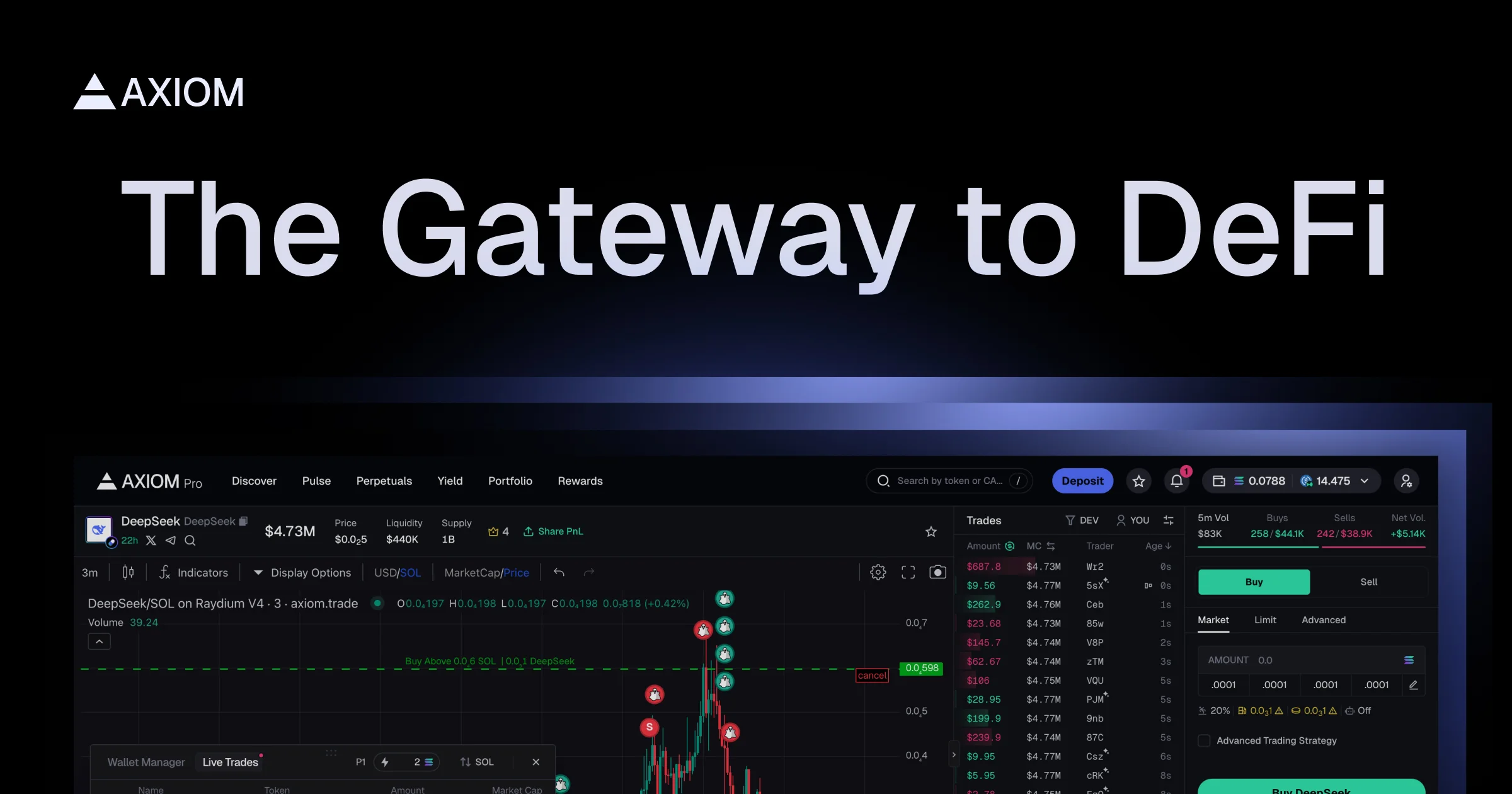
Source: Axiom, official product image
Pulse: The Discovery Feed
Pulse organizes tokens into three columns. The bonding curves and AMM pools behind the labels belong to third-party protocols, and Pulse is reading their state rather than operating them.
- New Pairs: tokens that just launched on a bonding curve
- Final Stretch: tokens close to completing that curve and migrating
 Migrated to Raydium: tokens that graduated and now trade on an AMM
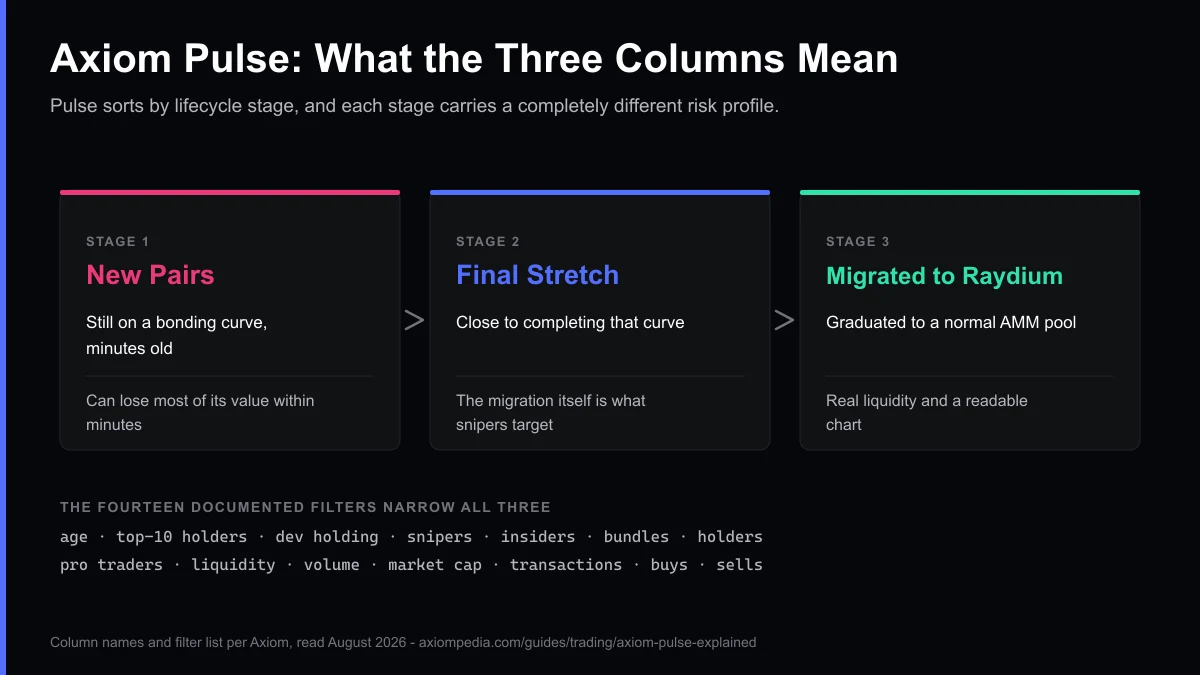
Fourteen filters narrow the feed: token age, top-10 holder percentage, dev wallet holding, sniper count, insider count, bundle detection, holder count, pro-trader count, liquidity, volume, market cap, transaction count, and buy/sell counts. If a label there does not mean what you assumed, every Pulse column, filter and signal is defined one term at a time, with the source for each and a note where Axiom publishes no definition.
Most traders build a saved filter set rather than adjusting all fourteen every session. Which filters belong in that set depends on what you are looking for, and the best Axiom Pulse filters for each kind of hunt works through six of them, with what every filter excludes and the tradeoff it accepts.
Filters decide what you see; the order ticket decides what you pay for acting on it, and the best settings for Axiom Trade covers the slippage and priority-fee values worth changing before the first one.
Filters are usually where people first notice something is off with the terminal, though the fault is rarely the filters themselves. When a trade placed off this feed fails or the app stops responding, the Axiom faults with known causes and fixes covers failed transactions, slippage errors, and the limit order cap.
Next to Pulse sits Explore Tokens (New Pairs plus Trending, with six filters) and Similar Tokens, sometimes called "OG Mode," which surfaces older tokens with established market caps rather than fresh launches.
Finding a candidate is the easy half. If you have a shortlist and are not yet sure what to do with it, we walk through trading on Axiom step by step, from configuring the order ticket to reading the fill afterwards.
How Does Migration Sniping Work?
When a  Pump.fun token's bonding curve completes, it migrates to a Raydium pool. Both of those protocols are third parties, and the migration is an event on their infrastructure.
That moment has historically been where a lot of value changes hands quickly, either because the token re-prices sharply on the new AMM or because automated traders act on the migration transaction before ordinary users can.
Axiom's Sniper Buy automates the buy side of that moment using its own infrastructure and custom nodes, and Axiom positions it explicitly as a replacement for running a separate third-party sniper bot. Sniper Sell does the same on the exit side. Both are configured in advance: you set your parameters, and the trade executes automatically when the migration event fires.
 Can You Set Limit Orders on Axiom?
Set an exact buy or sell price either through a slider in the order ticket, or by dragging a price line directly on the chart, which is a quick way to work once you are used to it.
One real constraint: the number of active limit orders you can have open simultaneously is capped, so on a busy trading day you may need to cancel a stale order before Axiom lets you place a new one. Before you split one position into several small orders, check what Axiom charges per trade, since every fill is a trade with its own costs.
Instant Trade and Hotkeys
For traders who don't want to leave the chart, Instant Trade opens a one-click buy/sell popup beside it. Hotkeys let you buy a preset SOL amount or sell a preset percentage with Space plus a key, useful when speed matters more than precision, though worth practicing on small size before you rely on it in a fast market.
How Does Wallet and X Tracking Work?
Wallet Tracker lets you add addresses (with emoji and name labels) and get live alerts when they buy. The alerts stream while you're on Pulse, so you don't have to tab away. There's a built-in import tool to migrate a wallet-tracking list from BullX, which matters now that BullX has wound down its trading product. Our Axiom wallet tracker guide walks through adding wallets, defines each column in the panel, and explains why a copied trade costs more than the original.
Tweet Monitor scans specific X accounts in real time and surfaces alerts inside Axiom. Axiom gates it behind a minimum trading-volume threshold, so check docs.axiom.trade for the current requirement rather than a figure quoted second-hand.
Trader Scan shows a per-wallet breakdown inside the order book: buy/sell amounts, balances, realized PnL, and hold duration for any address, useful for sizing up whether a token's early buyers are still holding or have already exited.
MEV Protection: the Setting Most People Leave Wrong
Three modes, chosen per trade: Off, Reduced (routes through Jito's bundle infrastructure, which is Jito's system rather than Axiom's), and Secure (whitelisted validators only, which Axiom's docs describe as slower to execute and harder to sandwich). Axiom's own docs recommend Secure.
This matters more than it sounds. Cryptopolitan reported in October 2025, citing on-chain research from 0xGhostLogs, that around 70% of the SOL extracted by wide sandwich attacks over the prior year came from users on Axiom.
The report does not establish why, and neither can we. Axiom's share of Solana terminal volume is one plausible part of it, and protection left off is another. See our full breakdown of all three MEV modes for when to use each one.
Tip
A sandwich profits from the price impact of a buy, inserting one transaction before it and one after, so MEV protection is aimed at the buy side. Axiom's documentation frames the setting that way too. Leave it on Secure by default and only drop to Reduced or Off when you're specifically racing a fast-moving migration.
What Does the Bundle Checker Detect?
Flags when four or more transactions land in the same block on a token, which Axiom describes as a bundle signature. What the wallets behind that pattern were trying to achieve is not something the tool establishes, and not something this site can determine either. What it gives you is the pattern.
Unlike some tools that only check at launch, Axiom's Bundle Checker can detect bundling at any point in a token's life, and filters out bundlers whose pattern is inconsistent with ordinary trading.
What Changes When You Trade Perpetuals?
Perpetuals on Axiom route to Hyperliquid. The markets, the order book, the leverage and the liquidation rules are Hyperliquid's, and Axiom is a front end on top of them rather than a perp exchange itself. Leverage of up to 50x is available on some Hyperliquid markets, on Hyperliquid's terms, sized in USDC.
Hyperliquid charges its own fees under its own schedule, and Axiom documents a 0.01% builder fee on top. We do not know the terms of the commercial arrangement between the two companies, so read both fee pages rather than a single combined figure: Axiom's and Hyperliquid's.
Trade on Axiom
Sign up through our link and the 10% referral fee discount applies automatically to every trade.
Trade on AxiomWhat's Not Here
Worth knowing before you go looking for it: as of August 2026 we have not found spot take-profit/stop-loss automation, a public API, or a native mobile app described in Axiom's official documentation.
That last one comes up constantly, so we wrote up what you actually get using Pulse on a phone and where the browser build falls short of a real app. TP/SL appears there for perps positions only. Documentation changes, so if you see a guide claiming otherwise, verify it against docs.axiom.trade before trusting it.
Frequently Asked Questions
Pulse is Axiom's token discovery feed. It has three columns, New Pairs, Final Stretch, and Migrated to Raydium, and fourteen documented filters covering age, holder concentration, liquidity, volume, and more, plus a one-click Quick Buy button.
Tokens launched on a bonding-curve launchpad such as Pump.fun migrate to an AMM pool such as Raydium when the curve completes. Those launchpads and AMMs are separate protocols, and the migration is their event rather than Axiom's. Axiom's Sniper Buy feature auto-buys at that moment and Sniper Sell auto-exits. Axiom positions the pair explicitly as a replacement for running a separate third-party sniper bot.
Set an exact buy or sell price either through a slider in the order ticket or by dragging a price line directly on the chart. Note that the number of active limit orders you can have open at once is capped, so you may need to cancel an old order before placing a new one.
Three modes: Off, Reduced, and Secure. Reduced routes the transaction through Jito's bundle infrastructure, which is Jito's system rather than Axiom's. Secure routes through a whitelisted validator set, which Axiom's documentation describes as slower and harder to sandwich. Axiom's own docs recommend Secure. A sandwich profits from the price impact of a buy, so the setting is aimed at buys.
Axiom's documentation describes a wallet tracker that lets you follow specific wallets and get live alerts when they buy, which is close to copy trading in spirit. We have not found an automatic-copy feature that mirrors another wallet's trades documented as of August 2026. Documentation changes, so check docs.axiom.trade for the current feature list.
A tool that flags when four or more transactions land in the same block on a token launch, a pattern Axiom describes as a bundle signature. What the wallets behind that pattern intended is not something the tool or this site can establish. It can detect bundles at any point, not just at launch.
Cite this page
These figures are free to quote. Copy the citation or the link below.
Plain-text citation
Axiompedia. "Axiom Pulse Explained: How the Feed, Columns and Filters Work." Published August 6, 2026, updated November 3, 2026. https://axiompedia.com/guides/trading/axiom-pulse-explainedHTML link
<a href="https://axiompedia.com/guides/trading/axiom-pulse-explained">Axiom Pulse Explained: How the Feed, Columns and Filters Work — Axiompedia</a>Methodology and reuse
The column names, filter definitions and feature descriptions on this page describe Axiom's Pulse interface as it stood in August 2026. They were read from the Axiom's own Pulse and fee documentation on and re-verified against the live app. Sources change what they publish, so treat any figure older than that date as needing a fresh check — the date above is the one to compare against.
You may republish these figures with attribution and a link to https://axiompedia.com/guides/trading/axiom-pulse-explained.
Axiompedia is an independent educational resource. It is not affiliated with, produced by, reviewed by, endorsed by, or sponsored by Axiom Innovations Inc., the operator of axiom.trade, or any of its affiliates. "Axiom" and the Axiom logo are trademarks of Axiom Innovations Inc., used here only to identify the product this site writes about. Full disclaimer.
Disclaimer: Nothing on this site is legal, tax, financial or investment advice. Trading carries risk, including total loss. Whether any activity described here is permitted where you live, and how it is taxed, depends on your jurisdiction and your circumstances. Consult a qualified professional and the primary sources before acting. Past performance does not indicate future results. Always check the primary source and do your own research before trading. This site contains referral links, which are disclosed on the disclosure page.
Ready to Start Trading?
Sign up on Axiom through our link for a 10% discount on trading fees, applied automatically with referral code axiompe.
Save 10% on Fees